Outside the Dot, Veterinary Blog
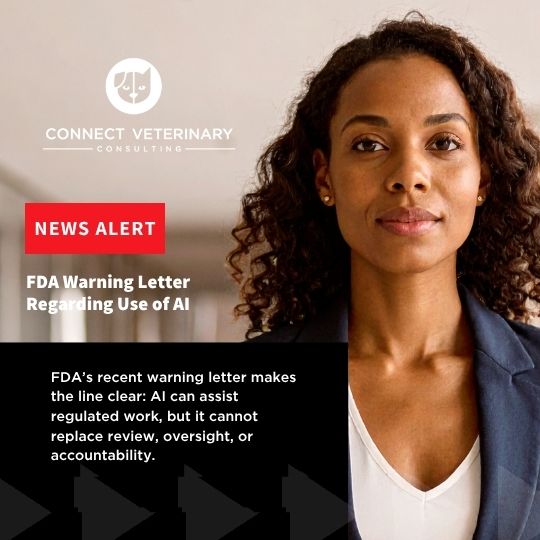
What FDA’s Latest Warning Letter Means for Animal Health Companies Using AI
May 4, 2026


Who We Are
Veterinarian-led commercial strategy for animal health, with over 16 years inside the animal health pharmaceutical industry.

Our Approach
Our capabilities work as one system. The positioning that convinces an investor is the same positioning that convinces a specialist, and it has to hold up in both rooms.
All capabilities


Who we are
Connect Veterinary Consulting is a veterinarian-led commercial strategy firm for animal health. We work with leadership teams on market entry, positioning, launch, adoption and growth, and then carry those decisions into execution.
Most people selling commercial strategy in animal health are not veterinarians, and most veterinarians are not doing commercial strategy. That combination is what a clinician, a founder and an investor each get in the same room.
Learn more about us16+
Years in animal health pharmaceuticals
DVM
Owned and led by a veterinarian
WBE
Women-Owned Business Enterprise, State of Missouri
6
Trade titles publishing Dr. Burns’ work
Client testimonials
“Dr. Burns is a delightfully unique combination of veterinary expertise and commercial savvy. She brings this veterinary perspective and she’s right there with you when you want to talk about your commercial strategy and what you’re trying to accomplish as a company. Because of that she’s very uniquely positioned to synthesize and point you in directions that are going to add value.”
Brian Segebrecht
Former CEO, Sentrx Animal Care
“We started to work with Connect Veterinary Consulting and Dr. Burns because we had a gap in our knowledge. She was able to really step in quickly, she provided us with good guidance, had a commercial mindset and the experience that allowed us to move our project along very quickly.”
Dr. Kathy Gross
Pet Industry Consultant and Adjunct Professor, Kansas State University. Former: Worldwide Director R&D Hill’s Pet Nutrition, Inc.
How we help

For animal health companies
From first U.S. market entry through launch, adoption and growth. Six capabilities that work as one system, and a commercial leader who can sit inside your team while you run it.
Commercial Strategy & Positioning
Go-to-Market & Launch
Fractional Commercial Leadership

For veterinary practices
It takes more than medicine to run a thriving clinic. We help practices move from reactive to strategic, across culture, operations, marketing and long-term growth.
Explore practice workWhat the work actually involves
We build positioning from the buyer backward: what a specialist has to believe, what a general practitioner has to see, and what a distributor has to be able to sell.
A launch is won or lost in the six months before it. Channel, education and sales readiness get settled while there is still time to change them.
Where the line sits between a medical claim and a marketing statement, assessed while the work is built rather than reviewed once it is finished.
Key opinion leaders, distributors and boards are long relationships, not one-campaign arrangements. We build them to last past the launch.
Let’s Connect
Tell us the company, the stage, what you are trying to accomplish and your timeline. Four fields, and Dr. Burns replies personally within a day.